 Binny
Binny
A blanket for your messy Trash.
When the Trash in your Dock fills up, Binny throws a real cloth over it. The fuller it gets, the lumpier the blanket, and the flies move in.
$4.99 once · macOS 13 or later · Apple Silicon and Intel · 5 MB
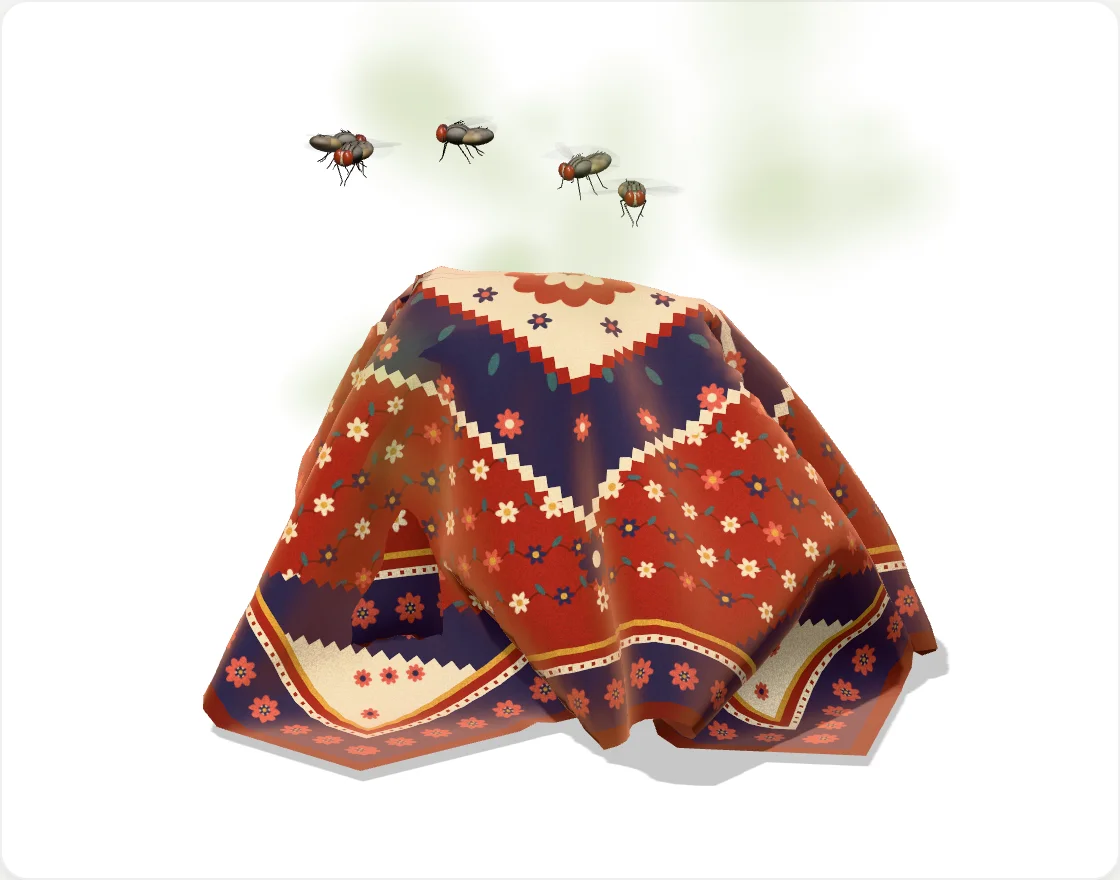
Junk is piling up, and the flies found it.
Out of sight, out of mind. Mostly.
Binny sits in your menu bar and keeps an eye on the Trash. Past a limit you choose, a blanket drops onto the Trash icon in your Dock.
It grows with the mess
The fuller the Trash, the bigger and lumpier the blanket. Every file you delete makes a lump pop up.
It gets smelly
A faint smell rises from the bin, and houseflies arrive. They circle, land on the blanket and clean their wings.
It reacts to you
Point at the Trash and a corner lifts while the flies scatter. Drag the blanket along the Dock and let go over the bin.
It goes when you clean up
Empty the Trash and the blanket gets pulled off. Nothing to see here.
SimulatedThe cloth is physics, not an animation, so it falls and folds differently every time. Once it settles, it stops using your CPU.
Each one hangs its own way.
Silk floats down in fine folds, and a quilt drops heavy and stiff. Pick one and it goes on the bin above.
Everything is one click away.
The panel
Click the menu bar icon to see the blanket, how full the Trash is, and Open Trash, Put Blanket Back and Empty Trash.
Quick actions
Right-click the menu bar icon to put the blanket back, empty the Trash or check for updates.
Click through
Click the blanket and the Trash opens, as if you clicked the icon underneath.
Your rules
Cover the Trash at a size, from 100 MB to 10 GB, or a number of items. Flies, sounds and login are switches.
It measures the Trash. That's all.
Never opens your files
Binny adds up the size of the Trash. It never reads, uploads or deletes a file on its own.
No account, no analytics
Nothing to sign up for, nothing tracked, nothing sold.
Updates itself
New versions download in the background, signed by Apple. Restart when the panel says so.
Before you ask.
Does it delete anything?
No. Binny empties the Trash only when you click Empty Trash and confirm.
Does it slow my Mac down?
The blanket stops simulating as soon as it settles. The flies keep moving at a low frame rate, and you can turn them off in Settings.
How does the license work?
Polar shows your key once you pay, and keeps it in your Polar purchases. Paste it at the end of setup, or in the menu bar panel. One license covers one Mac.
Can I move it to a new Mac?
Yes. In Binny's Settings on the old Mac, click Deactivate, then paste the key on the new one. If the old Mac is gone, deactivate it from your Polar purchase page.
What if I don't like it?
Email us within 7 days of your purchase and we'll refund it in full.
Will it open on my Mac?
Yes, on macOS 13 Ventura or later, Apple Silicon or Intel. Apple signs and checks every version, so it opens like any other app.
I used Blanket Bin before.
Binny is the same app with a new name. It brings your settings over, quits Blanket Bin and moves it to the Trash.
How do I uninstall it?
Quit it from the menu bar icon and drag Binny from Applications to the Trash. Then it gets a blanket too.
Cover up the mess. $4.99 once, refundable for 7 days. No subscription, no ads. See every release.